

How to Create an Ad Campaign in Leo Using Chat
You don’t need to navigate complex ad managers to launch a campaign in Leo. Just tell Leo what you want in plain English, and it builds the campaign for you. This guide walks through the full process — from starting a conversation to having a live campaign running on your connected platform.
Before You Start
You’ll need at least one ad platform connected to Leo. If you haven’t done that yet, go to Settings → Connections and connect Meta, Google Ads, TikTok, LinkedIn, or Reddit.
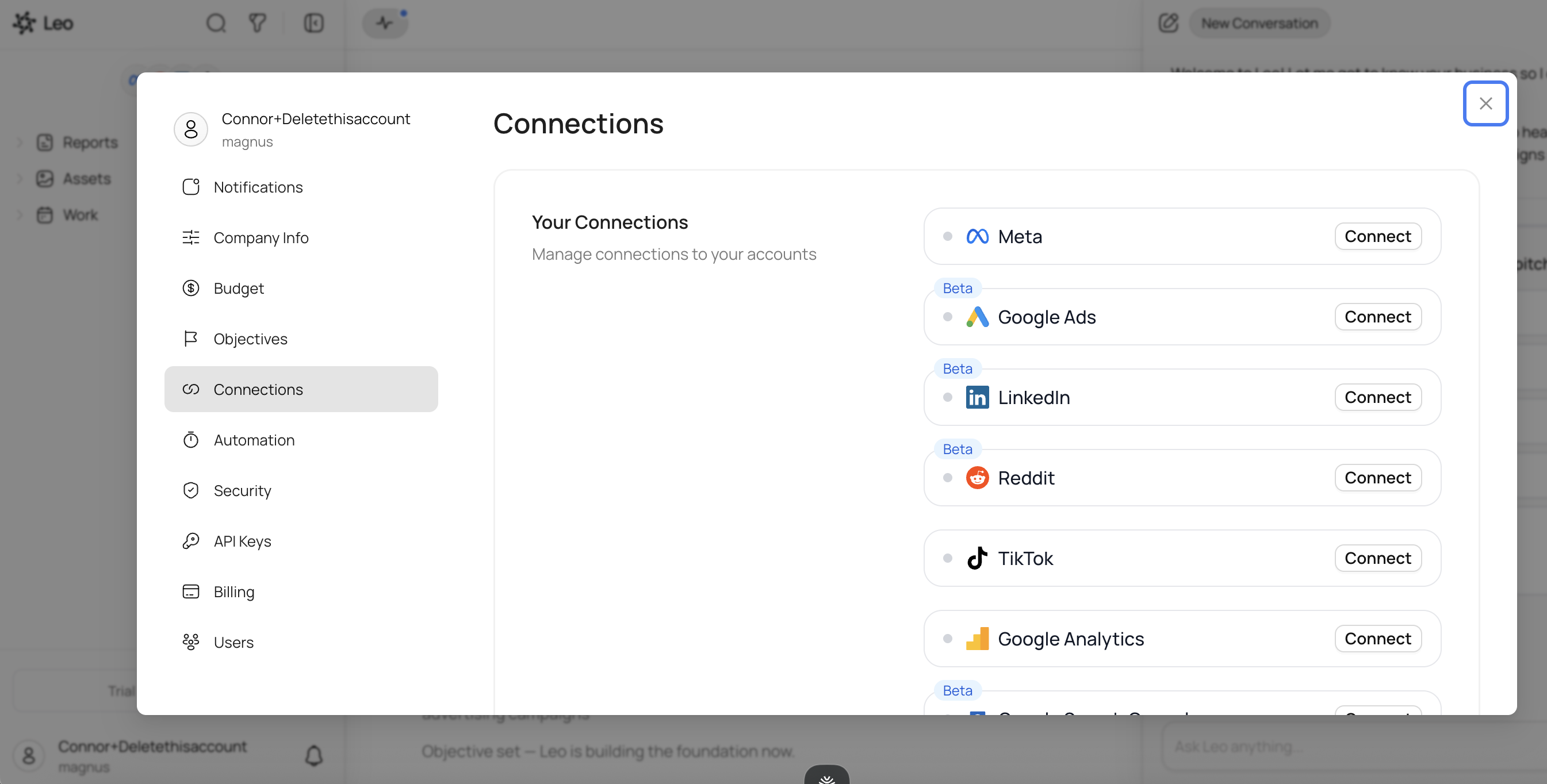
Once a platform is connected and your campaigns have synced, you’re ready to create new ones.
Step 1: Start a Conversation
Open the chat panel on the right side of the screen. If you’re starting fresh, you’ll see Leo greet you with a few quick-action suggestions:
- Launch a campaign
- What’s the plan?
- Competitor intel
- Show my results
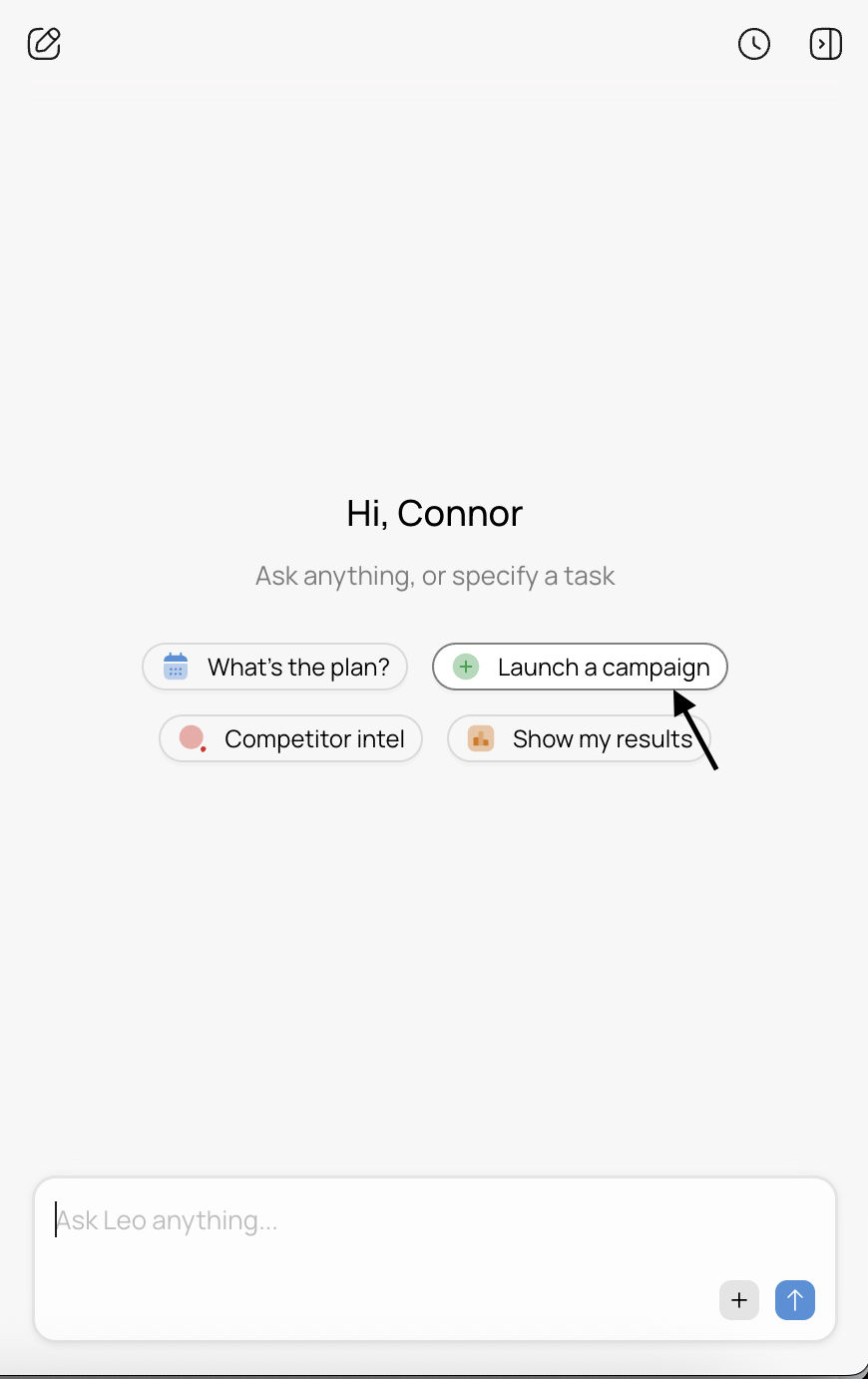
You can click Launch a campaign to get started, or just type what you want directly. For example:
- “Create a Meta campaign to drive website traffic for our spring sale”
- “Launch a Google Ads campaign targeting small business owners”
- “Set up a TikTok campaign promoting our new product line”
Be as specific or as general as you want — Leo will ask follow-up questions for anything it needs.
Step 2: Answer Leo’s Questions
After you describe your campaign, Leo will ask clarifying questions to fill in the details. These typically cover:
- Objective — What’s the goal? Traffic, conversions, brand awareness, lead generation?
- Budget — How much do you want to spend daily or over the campaign’s lifetime?
- Audience — Who are you targeting? Age, location, interests, custom audiences?
- Creative — Do you have existing ads or assets to use, or should Leo generate them?
- Timeline — When should the campaign start and end?
You can answer in natural language. Leo understands context, so you don’t need to use exact platform terminology. If you say “I want to spend about $50 a day targeting women 25-40 in the US who are into fitness,” Leo knows exactly what to do with that.
Step 3: Review and Approve
Once Leo has everything it needs, it builds the campaign and presents it for your review in an approval modal. You’ll see:
- The campaign structure (campaign, ad sets/ad groups, ads)
- Targeting settings
- Budget and schedule
- Creative assets and ad copy
This is your chance to review everything before it goes live. You can:
- Approve — Leo creates the campaign on the platform and it starts running
- Request changes — Tell Leo what to adjust (“make the budget $30/day instead” or “add a younger age group”) and it revises the proposal
Nothing goes live until you approve it. You’re always in control.
Step 4: Campaign Goes Live
After approval, Leo creates the campaign directly on your connected platform. You’ll see:
- A confirmation in the chat
- The new campaign appearing in your sidebar under the relevant platform
- An update in your activity feed
The campaign enters the platform’s standard review process (Meta and Google typically approve ads within a few hours) and starts delivering once approved.
Tips for Better Campaign Requests
Be specific about your goal. “Drive sales” gives Leo more to work with than “run some ads.” The clearer your objective, the better Leo can optimize the campaign structure.
Mention your audience if you know it. Leo can figure out targeting on its own, but if you already know who your best customers are, say so. “Our customers are typically 30-45 year old homeowners” saves a round of questions.
Reference existing assets. If you’ve uploaded images or videos to Leo’s asset library, mention them: “Use the product photos I uploaded last week.” Leo can pull them directly into the campaign.
Start with one platform. If you’re new to Leo, start by creating a campaign on a single platform. Once you’re comfortable with the flow, you can ask Leo to launch coordinated campaigns across multiple platforms at once.
What Platforms Can I Create Campaigns On?
Leo supports campaign creation on:
- Meta (Facebook & Instagram) — full campaign, ad set, and ad creation
- Google Ads — search, display, and video campaigns
- TikTok — in-feed and TopView campaigns
- LinkedIn — sponsored content and message ads
- Reddit — promoted posts and conversation ads
The process is the same for all platforms — describe what you want, answer Leo’s questions, review, and approve. Leo handles the platform-specific details automatically.